

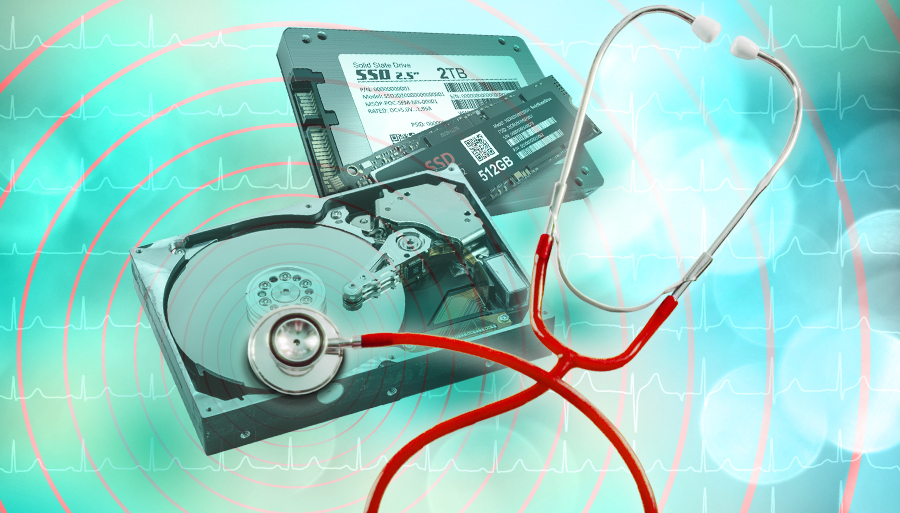
Hard Times Ahead: Spotting a Hard Drive Failure Before Your Bytes Bite the Dust
It usually starts small. A file takes a little longer to open. Your computer hesitates before booting. You tell yourself it is nothing. Maybe it just needs a restart. Maybe you have too many tabs open. You move on with your day.
Then one morning, your system refuses to cooperate. Files disappear. Programs crash. Panic sets in as you realize something far worse is happening behind the scenes.
Hard drive failure rarely arrives without warning. The problem is that most people do not recognize the signs until it is too late. By the time the drive finally gives up, important documents, photos, and work files may already be gone.
Understanding the early symptoms of hard drive failure can mean the difference between a smooth replacement and a complete data disaster. Let’s take a closer look at what your hard drive tries to tell you before your data bites the dust.
Why Hard Drives Fail in the First Place
Hard drives work quietly in the background, spinning, reading, and writing data thousands of times every second. Traditional hard disk drives rely on moving parts that wear down over time. Even solid state drives, which have no moving parts, can fail after years of use due to limited write cycles and controller issues.
Heat, power surges, physical shocks, manufacturing defects, and simple age all contribute to failure. The key takeaway is this. No hard drive lasts forever. Failure is not a matter of if, but when.
The good news is that most drives show symptoms long before they completely stop working.
Sluggish Performance That Feels Out of Character
One of the earliest warning signs is a noticeable drop in performance. Your computer may feel slower than usual even when you are doing simple tasks. Files that once opened instantly now take several seconds. Programs freeze briefly before responding.
This kind of slowdown often happens when the drive struggles to read data from damaged or deteriorating sectors. The system keeps retrying the operation, which creates delays you can feel.
While slow performance can have many causes, a sudden and unexplained change should never be ignored, especially if the machine was running smoothly before.
Strange Noises That Should Not Be There
If you use a traditional hard disk drive, your ears can be an early warning system.
Clicking, grinding, buzzing, or repeated tapping sounds are classic indicators of mechanical trouble. These noises often come from the drive’s read and write heads failing to position correctly or from internal components wearing out.
A healthy hard drive should produce very little sound beyond a soft hum. Any new or unusual noise deserves immediate attention. Continuing to use a drive that is making these sounds can accelerate damage and reduce the chances of successful data recovery.
Solid state drives do not make noise, so any sound coming from a system with an SSD likely comes from another component.
Files That Go Missing or Become Corrupted
Have you ever opened a file only to see strange characters, error messages, or incomplete content? Or worse, a file that simply refuses to open?
Corrupted files are a strong signal that something is wrong at the storage level. When a drive starts to fail, it may not read or write data accurately. This can lead to partial files, broken documents, or folders that vanish altogether.
You might also notice that files disappear and then reappear after a restart. This inconsistency is not normal behavior and often points to failing sectors on the drive.
Frequent Crashes and Freezes
If your system crashes often, freezes unexpectedly, or displays frequent error messages, your hard drive may be struggling to keep up.
Operating systems rely heavily on constant disk access. When the drive cannot deliver data reliably, the entire system becomes unstable. Blue screens, application crashes, and sudden restarts can all be connected to disk problems.
While software issues can also cause these symptoms, repeated crashes paired with other warning signs should raise concern.
Boot Problems and Long Startup Times
When a computer takes an unusually long time to start, or fails to boot at all, the hard drive is often involved.
During startup, the system reads essential files from the drive. If those files are hard to access or damaged, the process slows down or stops completely. You may see messages about missing system files or experience endless loading screens.
Boot problems are a serious warning. At this stage, the drive may already be close to failure.
Overheating Without an Obvious Cause
Hard drives generate heat during normal operation, but excessive heat can indicate trouble.
If your computer feels hotter than usual or the fans run constantly even during light use, the drive could be working harder than it should. Repeated read errors and retries force the drive to operate continuously, raising its temperature.
Heat accelerates wear and increases the risk of sudden failure. A drive stuck in this cycle is on borrowed time.
Error Messages You Should Not Ignore
Modern operating systems are fairly good at detecting disk problems. Warnings about disk errors, read failures, or the need to scan and repair the drive are not suggestions. They are alarms.
Messages that appear during startup or while accessing files should be taken seriously. Even if the system seems to fix the issue temporarily, underlying damage often remains.
If you see repeated disk warnings, it is time to act.
The Role of SMART Warnings
Most modern drives include built in monitoring called SMART, which tracks health indicators such as read errors, reallocated sectors, and temperature issues.
When SMART warnings appear, they usually mean the drive has already detected internal problems. These warnings often show up in system utilities or third party monitoring tools.
Ignoring SMART alerts is a risky gamble. They are designed to give you time to back up your data before failure occurs.
Why People Miss the Signs
Hard drive failure often goes unnoticed because the symptoms overlap with everyday computer annoyances. Slow performance, random freezes, and long boot times are easy to blame on software updates or aging hardware.
Another reason is simple habit. People adapt. They wait a few extra seconds. They restart and move on. Over time, those small delays become normal, even as the drive continues to deteriorate.
Unfortunately, hard drives do not heal. They only get worse.
What to Do the Moment You Suspect a Problem
The moment you suspect hard drive trouble, your priority should shift from troubleshooting to preservation.
First, back up your data immediately. Copy critical files to an external drive or cloud storage while the drive is still accessible. Do not attempt to clean, optimize, or stress the drive.
Second, reduce usage. Avoid heavy tasks that require large file transfers or extended disk activity.
Third, prepare for replacement. Even if the drive seems stable again, failure can happen suddenly and without warning.
If the data is extremely valuable and the drive is behaving erratically, professional data recovery may be worth considering. Continued use can reduce recovery success.
Prevention Is the Real Lifesaver
While you cannot prevent hard drive failure entirely, you can reduce the impact.
Regular backups are the single most effective defense. Automated backups ensure that even sudden failures do not become disasters.
Keeping your system cool, protecting it from power surges, and avoiding physical shocks also help extend drive life.
Most importantly, paying attention to early warning signs gives you time to act calmly instead of reacting in a crisis.
Final Thoughts: Listen Before It Goes Silent
Hard drives rarely fail without warning. They whisper long before they scream.
Slowdowns, strange noises, corrupted files, and boot issues are not random annoyances. They are signals. The sooner you recognize them, the more control you retain over the outcome.
Data loss often feels sudden, but in hindsight, the signs were usually there all along. Learning to spot them can save you time, money, and a lot of stress.
When it comes to your data, waiting for proof is often waiting too long. Pay attention early, act decisively, and you can replace failing hardware without losing what matters most.


